

Every Monday I lost 15-25 minutes to “triage” that wasn’t work. I’d reshuffle my Things (todo app) list until it felt safe, then start the day already behind. So I automated it into a 30-second briefing and forced myself to pick one anchor.
Sunday Night: 40 Todos
Sunday was great in that quiet way. Long walk, a few good ideas, notes captured without trying too hard.
Then Sunday night I did the thing I always do: a quick peek at Monday. Things opened, and there it was - 40 todos staring back at me.
My stomach tightened. Not because the work was impossible, but because I could already feel the Monday morning shuffle starting.
I’ve used Things (Apple only) as my todo app for years because it stays out of my way. It’s on every device, and I keep the Today widget on my phone so I can glance and move on.
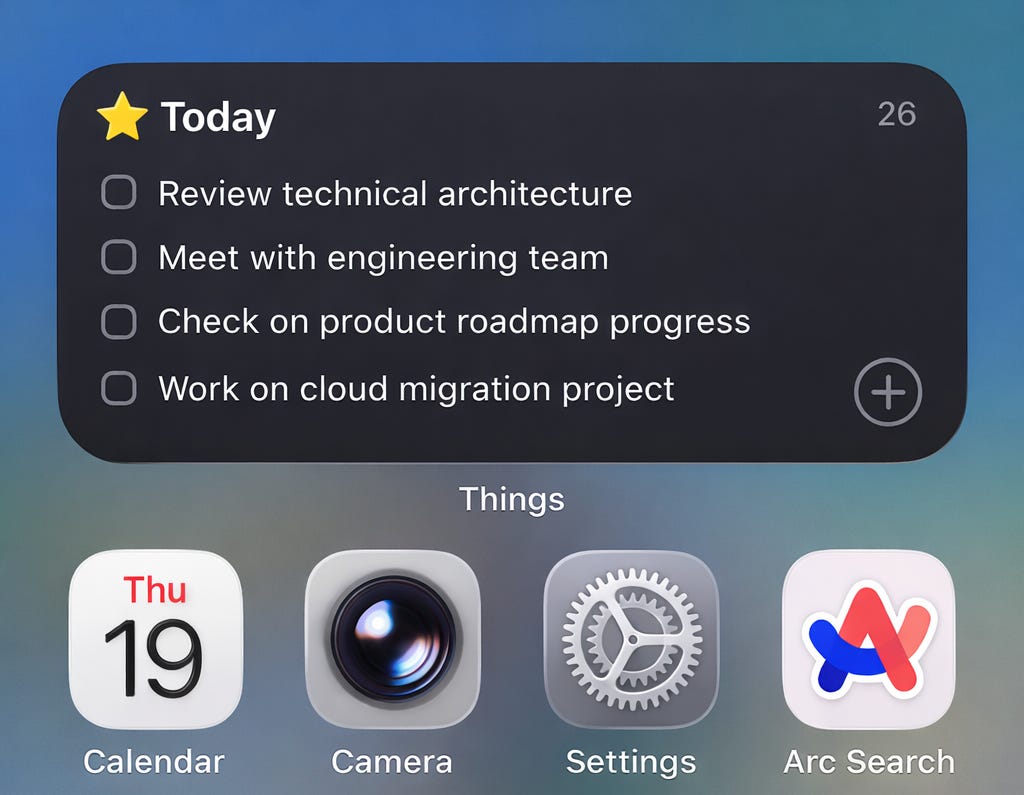
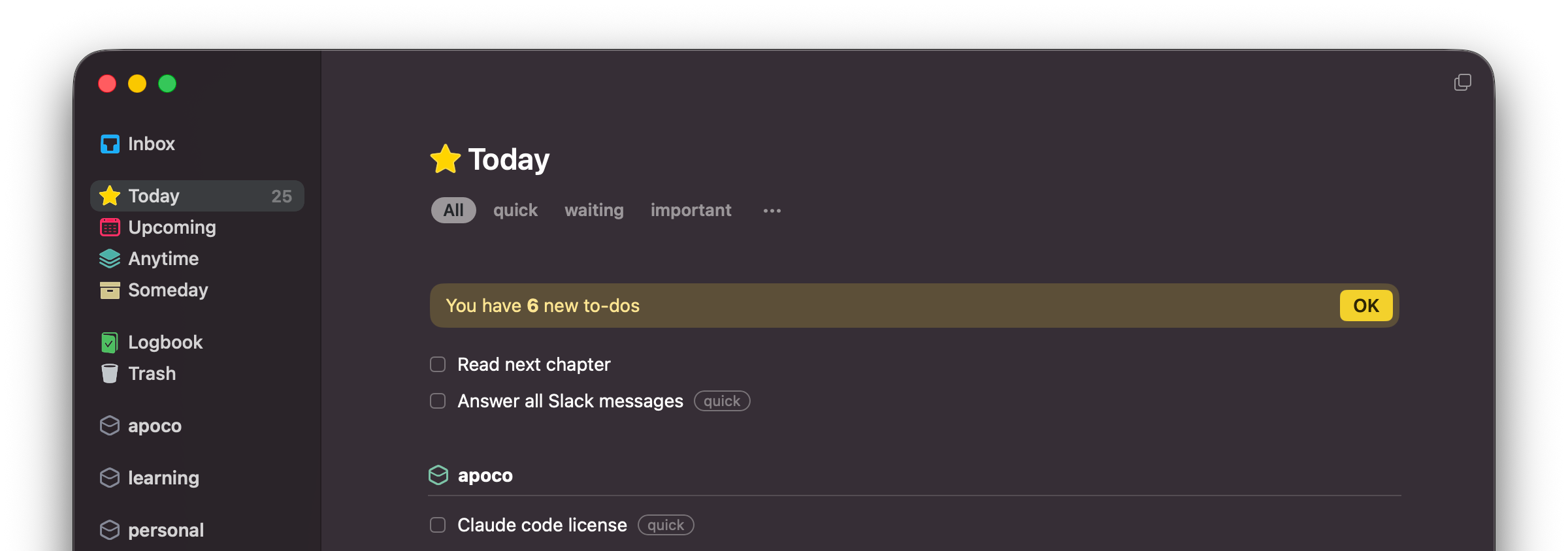
I keep it almost boring: 5 areas, 3 tags (quick, important, waiting), no projects. Just a clean list and a single place my brain can trust.
But that night the clean list didn’t feel clean. I closed the app and decided to build something.
I Built a Small Triage Skill
I built a tiny triage skill that reads my Things list and turns it into a 30-second briefing.
It talks to Things through an MCP server and runs in whatever I’m using that day - Claude Code, Cursor, any agent that supports MCP. It pulls the list, scans it, and applies a few dumb rules.
It groups by area, applies tags (quick, important, waiting), and flags anything blocked that needs a nudge. Then it suggests the next concrete move, not a re-org.
It felt like hiring a quiet side assistant. Not to do the work, just to set the table so I can start.
Monday Morning, Now in 30 Seconds
The real problem wasn’t the number of todos. It was the mental overhead of loading each one: what is this, how hard is it, how important is it, am I waiting on someone?
Before, I’d spend 15-25 minutes doing that sorting in my head. I’d open Slack already tired.
Now the list is already organized. I read a 30-second briefing:
Good morning! Happy Thursday.

"The effective executive focuses on contribution. He looks up from his work and outward toward goals." — Peter Drucker

🔴 Must do (4)

- Schedule share-out of AI-driven methods — 6 days old and tagged important. Don't be the blocker — even a quick video works. Get this off your plate today.
- Let the team know XYZ strategy — key strategic alignment your team needs now.
- Work with Joe & Doe on operationalizing technical strategy — iterative, but chip away today while momentum is fresh.
- Convert brainstorm into 3 bets + 3 next experiments - important. Capture it before the ideas fade.

🟡 Should do (2)

- Draft one hypothesis: “How enterprises will manage AI context in 3 years.” - strategic thinking that compounds.
- Decide where institutional knowledge lives - infrastructure decision that unblocks the team

🟢 Could do (5)

- Send XYZ to Ondrej — quick, 5 min max
- Kiddo's doctor appointment — quick personal items
- Resolve XYZ family account — quick personal errand
- A2A DeepLearning.ai — learning, explore if you have a gap
- Read one article from queue — learning snack

📋 Daily Routine

Answer all Slack messages
Read next chapter
Check XYZ Launchpad
That does one thing for me: it keeps me focused. I pick one important thing to anchor the day, and I let everything else be secondary.
Drucker’s point in The Effective Executive is that effective people don’t start with tasks. They start with their time and what only they can contribute. The triage runs before my morning starts. The list is already organized, the noise is gone. I just pick my focus and start.
Before: 15-25 minutes of mental shuffling.
After: 30 seconds and I know what to work on.
Under the Hood
Ok, here’s the actual technical part.
On the first run, it reads my Things areas and tags, asks a couple questions about my daily routines, then saves a local config file. It’s plain text and editable by hand.
Every morning after that, it does the boring maintenance: it categorizes uncategorized todos into areas, adds missing tags, creates any missing routine todos, then prints the briefing.
My tags are simple: quick (fits in a boring meeting), important (self-explanatory), waiting (blocked on someone else).
The output is always the same shape: Must do / Should do / Could do / Daily routine. It’s meant to be a 30-second read, not a dashboard.
It’s also idempotent (safe to run multiple times). It never deletes or renames. It only adds what’s missing.
If you want to try it:
npx skills add apocohq/skills --skill things-morning-organizerIt’s open source on apocohq/skills.
What’s Next
Next step is making it automatic: a scheduled task that runs every morning.(Update: Done through launchpad. Automatically starts whenever you turn on your laptop in the morning. Feel free to reach out for guidance.)
I also want to ground it in context: who I am, what I’m optimizing for, what my company is working on. This is an unsolved problem for most teams using AI, and I’ll write about it separately.
I also want a meeting notes loop: integrate with tools like Granola, or just paste a transcript, extract todos, review them, and only then let anything land in Things.
Finally, I want better suggestions through a Drucker lens: what can only I do, and what should I delegate or drop?
If you want to contribute or follow along, I keep a full roadmap in the repo.
I still wake up to 40 todos sometimes. The difference is I don’t treat the list like the work anymore, and I start.